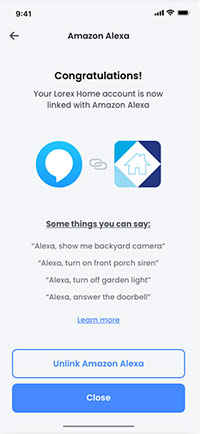
Select products using the Lorex App are compatible with voice commands through Amazon Alexa. Follow the steps below to connect your Lorex device to your Alexa environment.
Prerequisites: * IMPORTANT: Users with a D841 Series DVR must ensure that voice assistance is enabled on the DVR. Click here for full instructions. * Ensure you have completed setup of your Alexa-enabled device (e.g., Echo Show) using the Amazon Alexa app. * Ensure your Lorex device is powered on and connected to the Internet. * Complete setup of your Lorex device using the Lorex App. For full setup instructions, see the Lorex App manual on your product page on lorex.com * Ensure your Lorex device is up-to-date with the latest firmware.
Follow these steps to link your Amazon Alexa account directly within the Lorex App: 1. Launch the Lorex App.
- Tap the settings icon (
 ) then find Amazon Alexa.
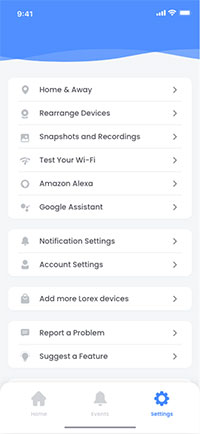
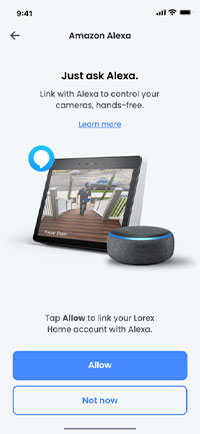
- Tap Allow Alexa.
- Link your account with Alexa.
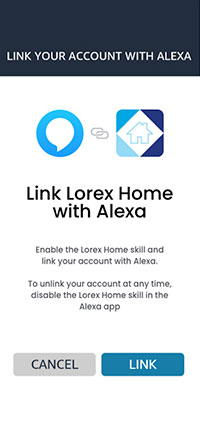
Congratulations! You are now ready to use Alexa to control your Lorex security camera system.