


This guide provides step-by-step instructions for installing your IC301 Indoor Single Lens PT Wi-Fi Security Camera.
What is included:
- 2K Indoor Pan-Tilt Wi-Fi Security Camera
- Anchors & Screws (2×)
- Mounting Bracket
- Power Cable & Adapter
LED Indicators:

Camera Placement Tips:
- Take into consideration what you want to monitor and where is the best coverage area.
- Place your camera close to the area of interest.
- Point your camera where there is the least amount of obstructions (i.e. tree branches).
- Install your camera in a location that is difficult for thieves and vandals to reach.
- The best position is 10 ft (3 m) above ground, angled 15° down.
- Secure cabling so that it is not exposed or easily cut.
Mounting your IC301 Camera:
You can place the camera on a flat surface or follow the instructions below to mount it to an indoor ceiling.
- Use the mounting template to mark two holes for screws.
- Drill the holes using a 1/4” (6mm) drill bit. If mounting to masonry or drywall, gently tap the anchors into the holes.
- Align the flat side of the mounting plate with the drilled holes.
- Use a Phillips screwdriver and two screws to secure the mounting plate to the mounting surface.
- Twist the camera’s base clockwise onto the mounting plate. The camera can still be rotated around the base (which stays static) after installation.
- Open the camera’s settings on the app and enable Image Rotation to flip
the camera image.

- Plug in the camera's power cord and attach it to the power block. Plug the block into the wall.

Onboarding:
Onboarding your camera will connect it to your phone via the Lorex Connect App so that you can control settings and view the recordings.
- Launch the Lorex Connect App. In the top right corner of the My Home tab, tap the
 icon.
icon. - If you have an IOS device, tap Add a device. For Android devices, your app will skip this step for you.

- In the list of devices, tap your IC301 camera.

- Scroll through the instructions, and tap Continue > Add this device.

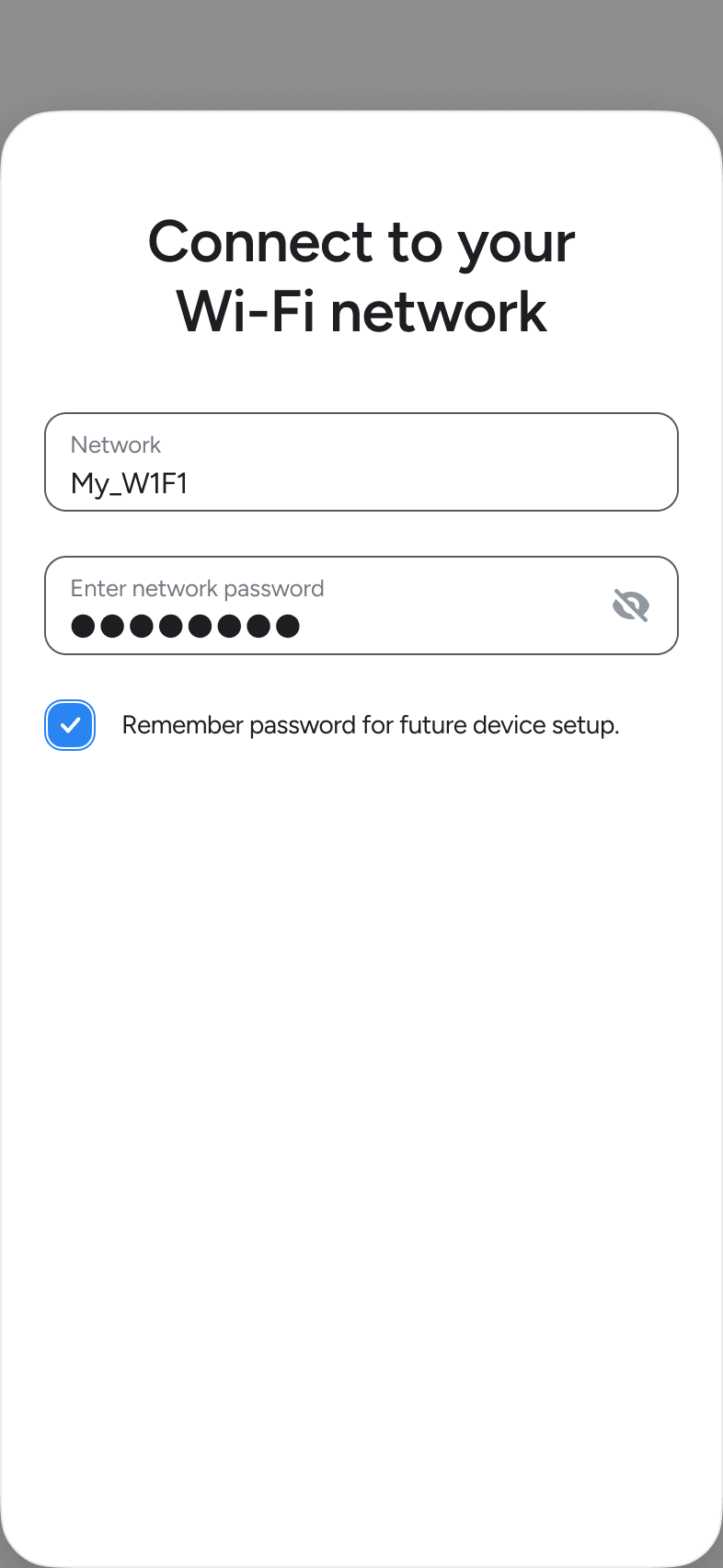
- Choose your Wi-Fi from the list of networks or tap Rescan again.
- Input your Wi-Fi password and tap Continue.
- Name your camera and tap Continue.
- Sign up for Lorex Cloud or skip this step.
- Choose if you would like to add image previews.
- Choose if you would like to enable audio recording.
- Finish onboarding and tap Let's Go!
- Once you onboard your device you must set the time. Tap your camera's thumbnail >
 Icon > Camera Settings > Time Settings > and select your time zone.
- Tap Save to confirm.
FCC Statement
This equipment has been tested and found to comply with the limits for a Class B digital device, pursuant to part 15 of the FCC rules. These limits are designed to provide reasonable protection against harmful interference in a residential installation. This equipment generates, uses and can radiate radio frequency energy and, if not installed and used in accordance with the instructions, may cause harmful interference to radio communications. However, there is no guarantee that interference will not occur in a particular installation. If this equipment does cause harmful interference to radio or television reception, which can be determined by turning the equipment off and on, the user is encouraged to try to correct the interference by one or more of the following measures: - Reorient or relocate the receiving antenna. - Increase the separation between the equipment and receiver. - Connect the equipment into an outlet on a circuit different from that to which the receiver is connected. - Consult the dealer or an experienced radio/TV technician for help. To assure continued compliance, any changes or modifications not expressly approved by the party responsible for compliance could void the user’s authority to operate this equipment. This equipment complies with Part 15 of the FCC Rules. Operation is subject to the following two conditions: 1. This device may not cause harmful interference, and 2. This device must accept any interference received, including interference that may cause undesired operation. FCC Radiation Exposure Statement: This equipment complies with FCC radiation exposure limits set forth for an uncontrolled environment. This equipment should be installed and operated with a minimum distance of 20cm between the radiator and your body.
(ISED Canada) Statement
The device for operation in the band 5150-5250 MHz is only for indoor use to reduce the potential for harmful interference to cochannel mobile satellite systems.
This device contains licence-exempt transmitter(s)/receiver(s) that comply with Innovation, Science and Economic Development Canada’s licence-exempt RSS(s). Operation is subject to the following two conditions: 1. This device may not cause interference. 2. This device must accept any interference, including interference that may cause undesired operation of the device. This device meets the exemption from the routine evaluation limits in section 6.3 of RSS-102 and complies with RSS-102 RF exposure requirements. Users can obtain Canadian information on RF exposure and compliance.
This equipment complies with Canada radiation exposure limits set forth for an uncontrolled environment. This equipment should be installed and operated with a minimum distance of 20 cm between the radiator and your body.
L'appareil destiné à fonctionner dans la bande 5150-5250 MHz est uniquement destiné à une utilisation en intérieur afin de réduire le potentield'interférences nuisibles aux systèmes mobiles par satellite cocanaux.
Cet appareil contient des émetteurs/récepteurs exempts de licence qui sont conformes aux CNR exempts de licence d’Innovation, Sciences et Développement économique Canada. Le fonctionnement est soumis aux deux conditions suivantes : 1. Cet appareil ne doit pas causer d’interférences. 2. Cet appareil doit accepter toute interférence, y compris les interférences susceptibles de provoquer un fonctionnement indésirable de l’appareil. Cet appareil est conforme à l'exemption des limites d'évaluation courante dans la section 5.3.2 du CNR-102 et conforme à l'exposition aux RF selon le RSS-102. Les utilisateurs peuvent obtenir des données canadiennes sur l'exposition aux champs RF et la conformité. Cet équipement est conforme aux limites d'exposition aux radiations du Canada dans un environnement non contrôlé. Cet équipement doit être installé et utilisé avec une distance minimale de 20 cm entre le radiateur et votre corps.
Hardware Version Identification Numbers (HVINs):
IC301A-PPW-AE1