


The following section describes how to add a 2K Smart Deterrence camera to the Home Hub after the initial setup of the Lorex Home Hub.
To add a camera:
- Launch the Lorex Classic App.
-
Tap the + icon beside the Home Hub. Make sure you only pair one camera at a time.
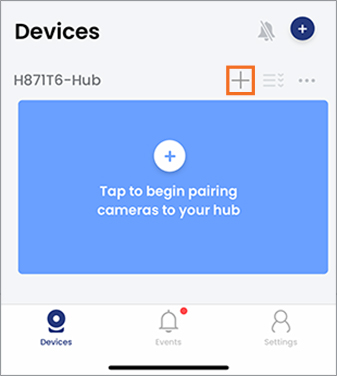
Follow the in-app instructions to complete the setup.
-
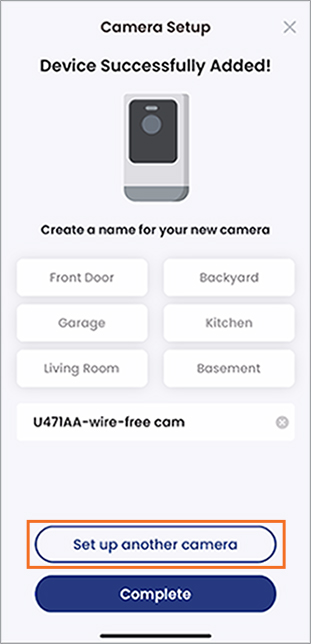
After completing the setup for one camera you have the option to add another. Tap Set up another camera, then follow the in-app instructions.
If you are still experiencing issues, see the article 2K Wire-Free Camera - Camera connection timing out during setup.