


The following article provides Lorex Classic App instructions for using the Quick Responses feature on your wired IP deterrence cameras.
Quick Responses are pre-recorded messages that Lorex deterrence IP cameras can speak to a visitor. You also have the option of recording your own 10 second response.
Quick Response is compatible with certain Lorex IP cameras. For a complete list of compatible cameras, navigate to your recorder series at lorex.com/compatibility.
Send a Quick Response
- Open your Lorex Classic App and login.

- Under your recorder, swipe left and tap the camera channel that you want to send a quick response.
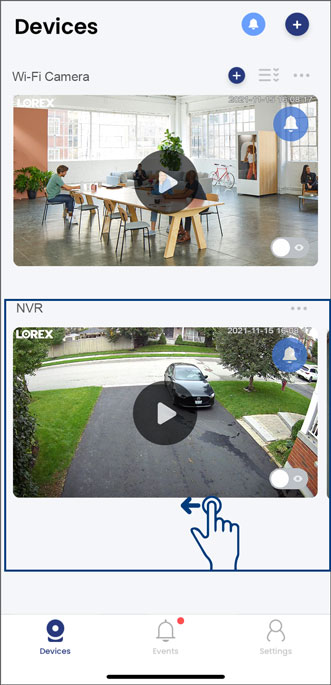
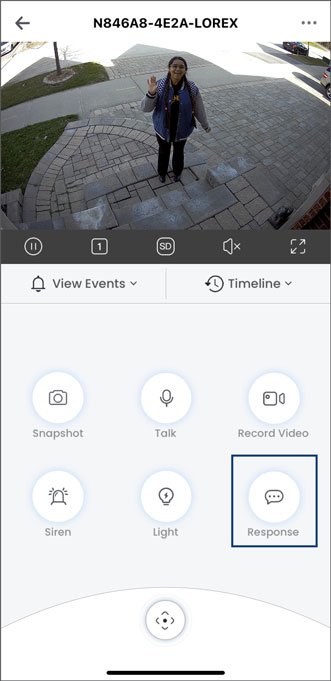
- In the Live View display, tap the Response icon.
- Select from the list of pre-recorded quick responses.
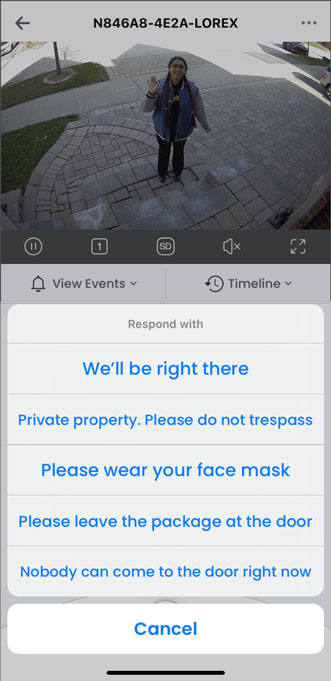
You can also record your own quick response by following the steps below.
Record a Custom Quick Response
- Open your Lorex Classic App and login.
- Under your recorder, swipe left and tap the camera channel that you want to send a quick response.
- Tap the camera's device settings icon.
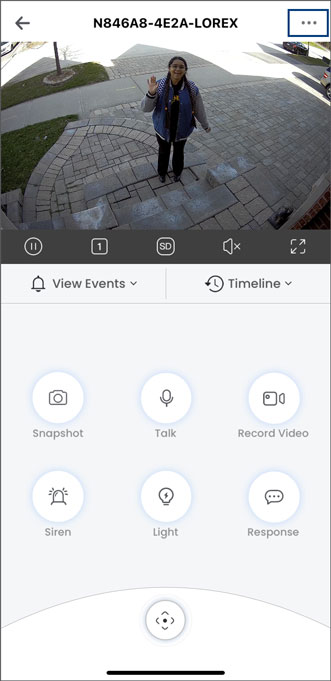
- Tap on Quick Responses.
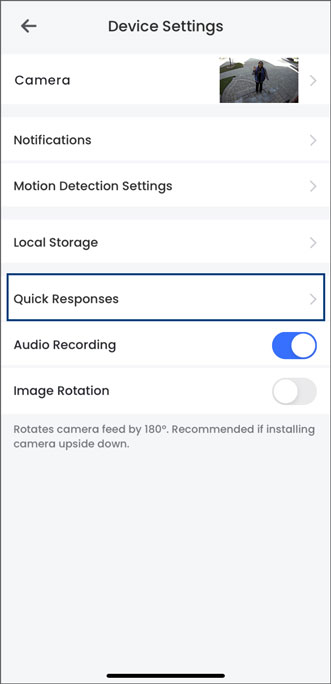
- Tap the + icon on the top right.
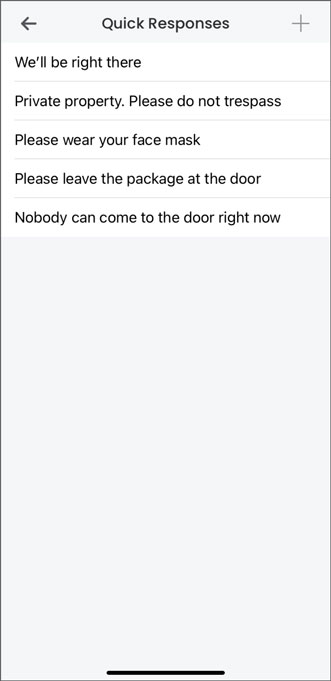
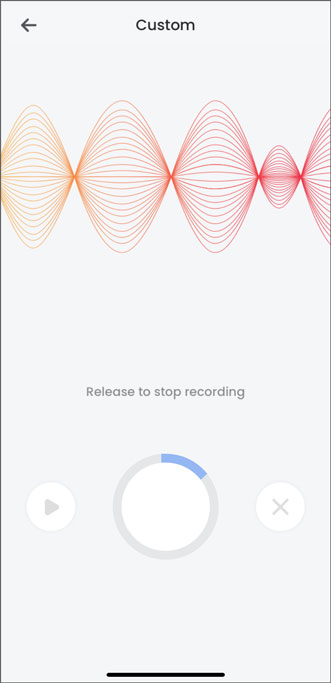
- Hold down the button in the middle and record your own quick response.
To learn about using the deterrence siren feature, refer to the articles Using the Siren.