


The following article provides Lorex Classic App instructions for using the Color Night Vision Booster deterrence feature on your wired IP deterrence cameras.
Add a boost of light to get better visibility in dark spots. To access the color night vision booster feature you must first download the Lorex Classic App and connect your system. Refer to the article DVR / NVR - Download the Lorex Classic App for full instructions.
Color night vision booster is compatible with certain Lorex IP cameras. For a complete list of compatible cameras, navigate to your recorder series at lorex.com/compatibility.
Using Color Night Vision Booster
- Open your Lorex Classic App and login.
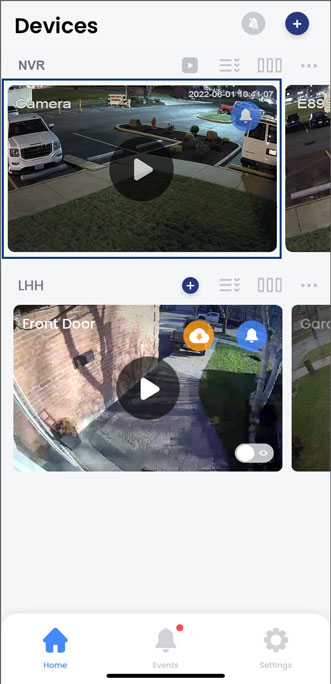
- Under your recorder, swipe left and tap on your deterrence camera.
- In the Live View display, tap the Light icon.
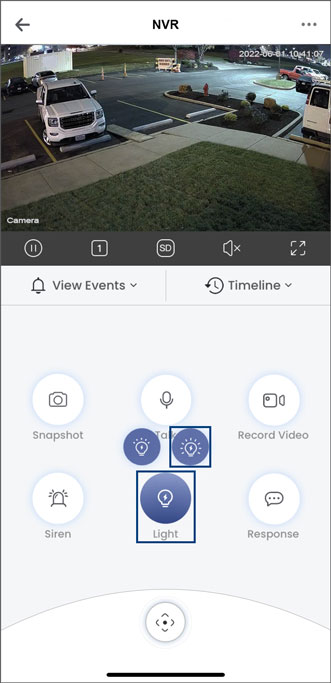
- Tap the color night vision booster icon on the top right. Tap it again to manually turn it off.
Note: Color night vision booster automatically turns off after 3 minutes.
To learn about using other deterrence light features, refer to the article Using the Deterrence Light (Warningt Light).