


The following article provides instructions for downloading the Lorex Classic App and connecting your Lorex recorder to the app.
Prerequisite
Before you start, your recorder must be powered on and connected to your router using the included Ethernet cable. For Basic System Setup instructions, refer to your Fusion recorder's Quick Start Guide or Manual on the product support page. Visit help.lorextechnology.com and search your Fusion recorder's model number.
Download the Lorex Classic App
- Download the Lorex Classic App from the App Store or Google Play.

- Open the app and create an account.
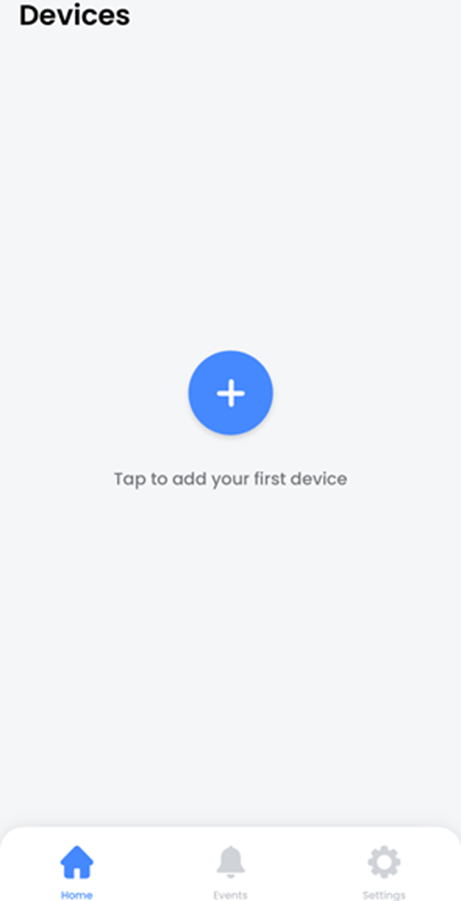
- Tap the add (+) icon to connect your Lorex recorder.
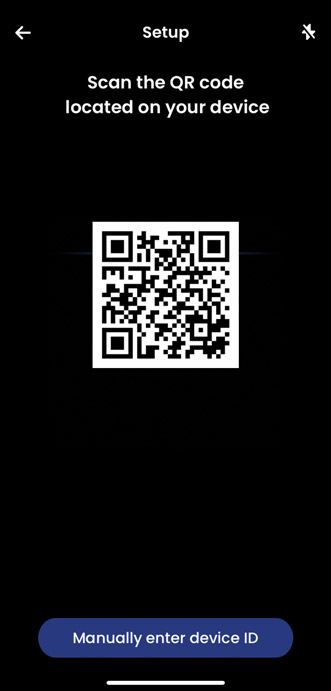
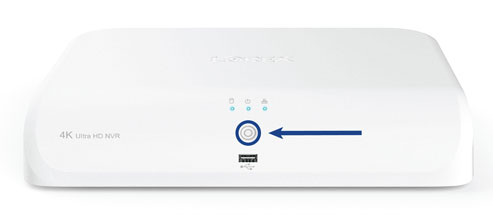
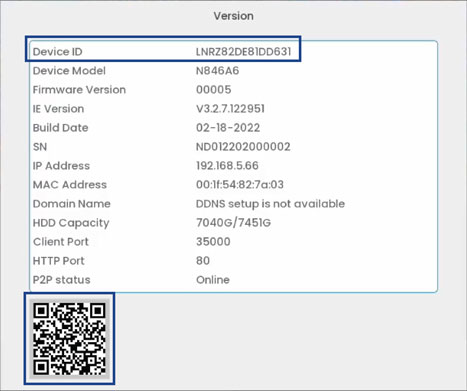
- Scan your recorder's QR code. The device QR Code is located on your recorder alongside the Device ID, which can also be accessed from your recorder by pressing the Info button.
- Follow the in-app steps to complete the recorder setup.