


The Rearrange feature in your Lorex Classic App can be used to organize your devices to suit your security needs. Requires Lorex Classic App 4.9.5 or newer.
To arrange your devices:
- Open the Settings page
 in the Lorex Classic App.
 - Tap Rearrange Devices.
- Tap and hold the Rearrange icon for the device you want to move and then drag to move the device.
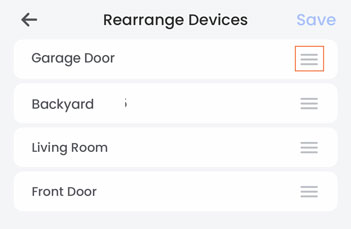
- Tap Save.