Accessory Battery Pack for 2K QHD Wire-Free Camera

Accessory Battery Pack for 2K QHD Wire-Free Camera

SKU: SKU: ACWFDBT


Keep your wire-free camera up and running

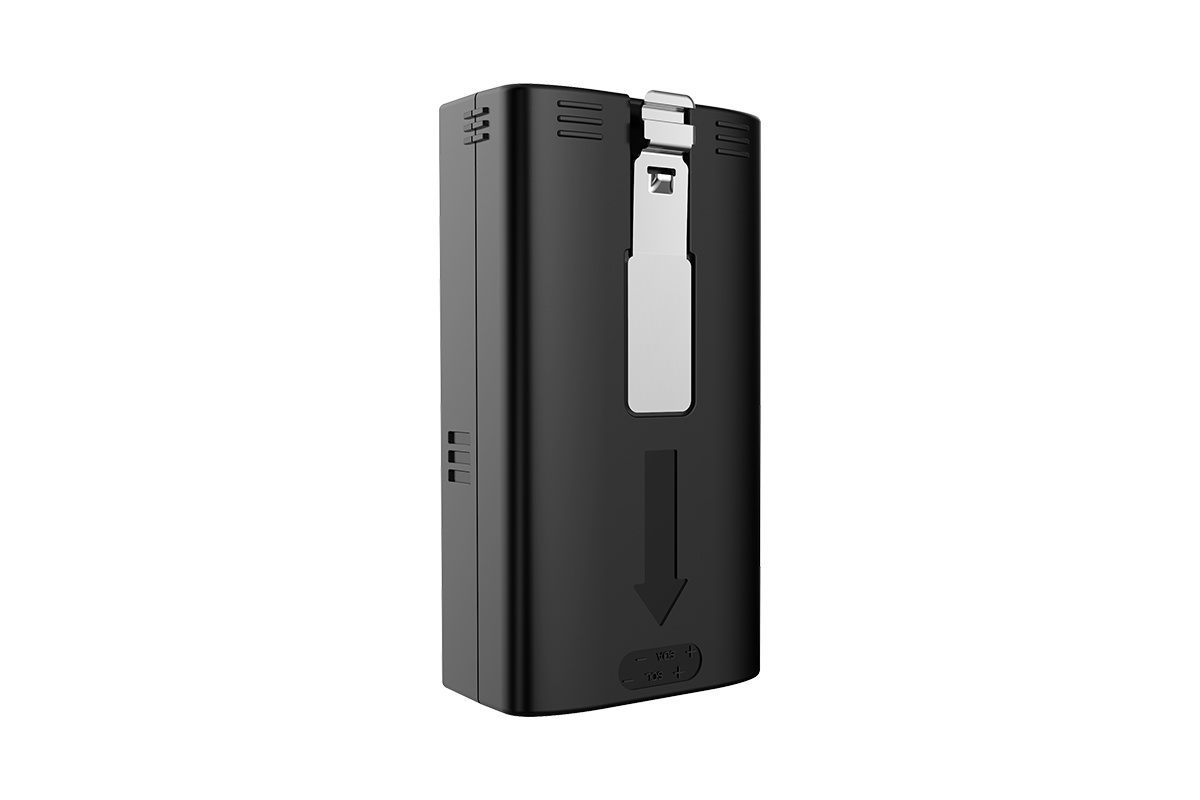
Get an additional quick-release, rechargeable accessory battery pack to ensure no down time in your wire-free security monitoring. Compatible with U471AA 2K QHD Wire-Free Security Camera.


Two ways to charge the battery:

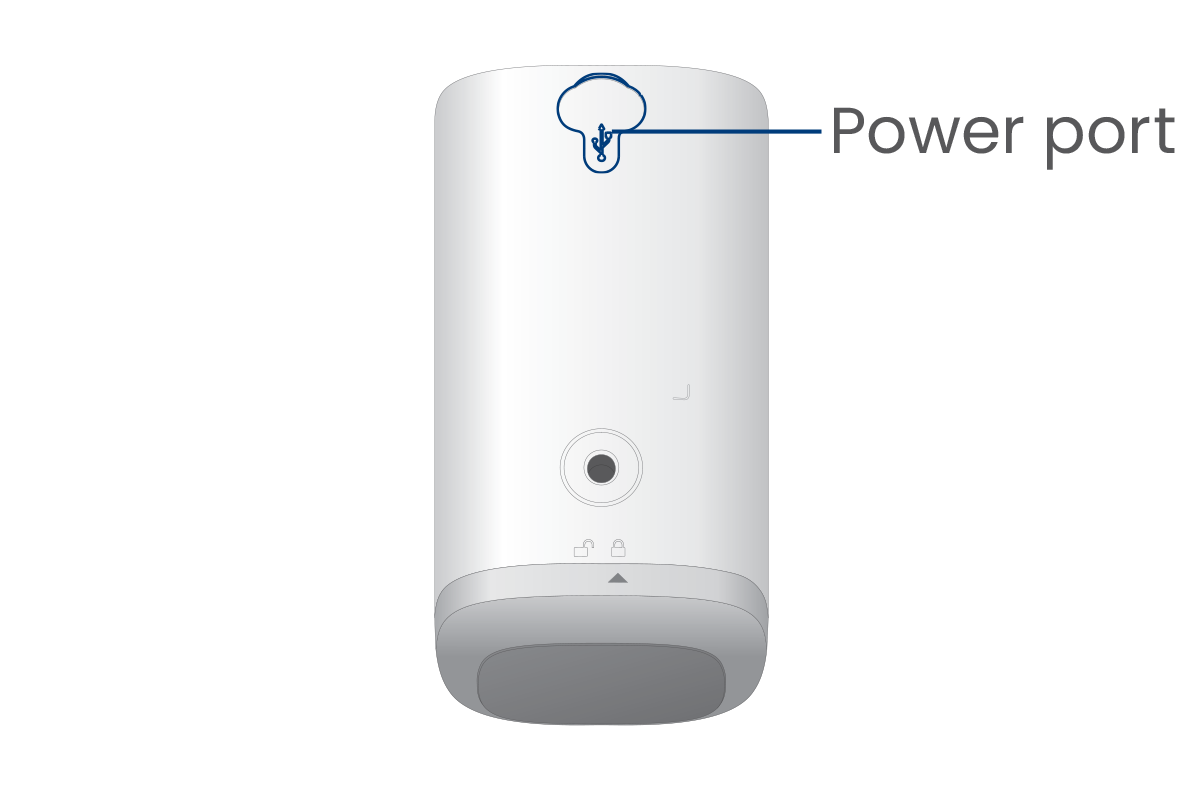
Charging inside the camera

Charge without removing the battery by connecting the charging adapter and cable to the camera's power port on the back of the camera. Charge until the camera's LED indicator is solid green or keep it connected for a constant power supply.

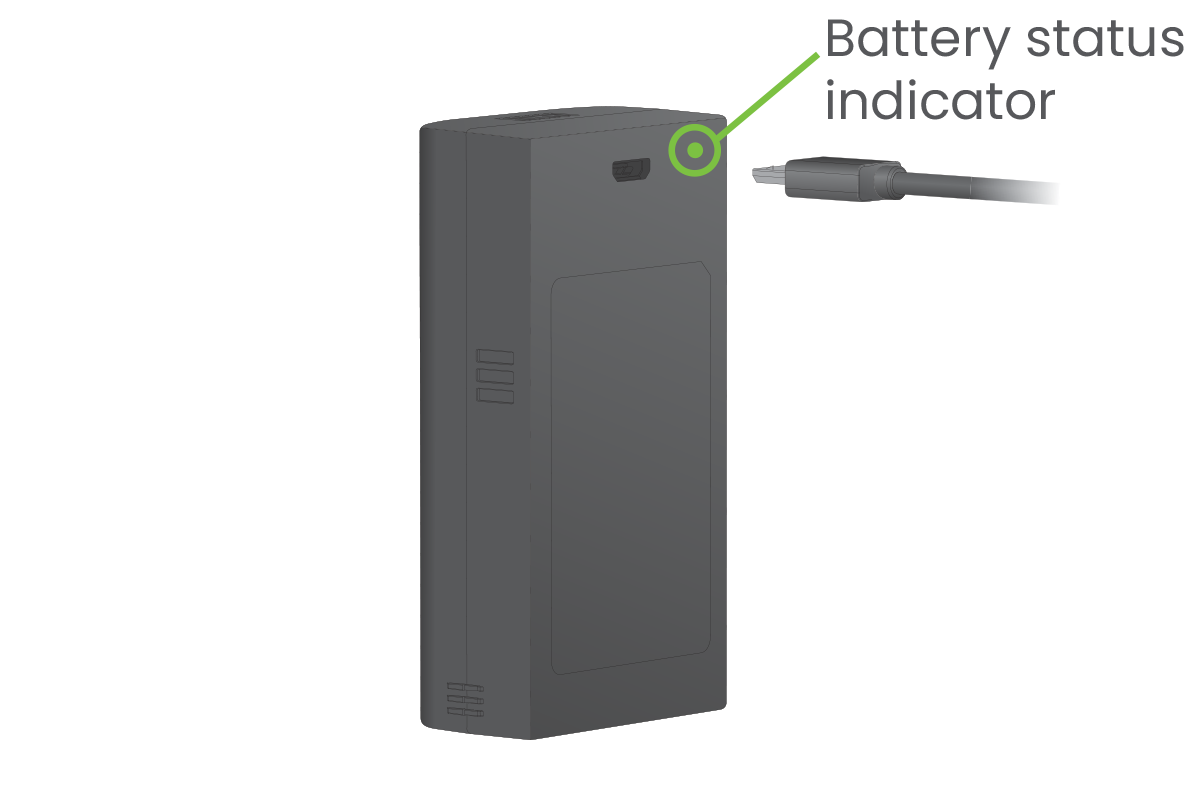
Charging battery by itself

Simply slide the battery out from the camera to charge, without ever having to remove the camera. Use the charging adapter and cable to connect to the battery's power port and plug into a power outlet until the battery's status indicator is solid green.

What's Included?

ACWFDBT

Accessory Battery Pack Features:

back-to-top of features
ACWFDBT Line Art
 

Product Support

Product Reviews

Overall rating: 4.619718 / 5 from 71 reviews.

AI Generated Review Summary

The Accessory Battery Pack for the 2K QHD Wire-Free Camera offers mixed reviews on battery performance and system compatibility, with some users praising its functionality while others report issues.

Summary topics

  • Battery Performance: 15%
  • System Compatibility: 10%

Review topics: ["package","battery","works","cameras","system","charge","camera\u2019s"].

Review highlights

  • "I received the battery in a few days, repaired my camera and the system is working fine."Richard H.
  • "Nice job for Lorex providing good systems and then supportive them."Richard H.
  • "Lorex Smart Home w 2K wireless cameras' battery"Gram T.

Reviews

KUDOS

"My security camera battery finally went bad after several years. I was surprised I could still purchase one. I received the battery in a few days, repaired my camera and the system is working fine. Nice job for Lorex providing good systems and then supportive them. I will purchase my next sy5from them in the future."

Richard H. (5/5)

Terrible experience and batteries

"I ordered 2 replacement batteries and the batteries I received do not even last 24 hours. Same as my old dead batteries. I contacted sales support and they told me they can't help it's a technical issue. Sorry, you sent me dead batteries. That's a sales problem"

Ryan (1/5)

well you might not want

"well you might not want to hear , but i am not happy with your help line with my problems i have 2 u471 battery cameras, and a hc64a system that worked great until january , when the batteries would deplete in about 3 days after charge i went to lorex help and couldnt get an answer as to how to tell if it was the batteries or the cameras ,i sent a question in on weather the new battery cameras availble would work with my home center, got no answer i bought the cameras found out myself they would not work with my existing system so i sent them back 2 days later i got a response to my question , no they will not work ! so i paid the shipping cost and went on to buy 2 new batteries that do the same thing as my existing ones now i called again and was told you no longer have any outdoor cameras long story short"

Ronald S. (2/5)

The batteries worked for a

"The batteries worked for a week and now are not staying charged any longer than the old ones do. The camera's still work great after several years!"

Cynthia J. (1/5)

For some reason, the full

"For some reason, the full charge only last a couple of days. Not sure if the temperature has a part to do with it. From 100%, it drops to 50% within a day, and down to 20% by the end of the 2nd day."

Vincent N. (2/5)

Life of product (battery) good

"Life of product (battery) good so far (2+yrs), but disappointed product discontinued, and worried support and/or app will be discontinued as well"

Mark J. (4/5)

Original batteries died

"Work great!"

Austin (5/5)

System failed

"I installed the new battery and the system went offline and I have been unable to bring it back."

Ron C. (1/5)

So far so good!

"So far so good!"

Geoff M. (5/5)

Spare batteries minimize camera down time.

"Spare batteries minimize camera down time. There is no waiting for the battery to be recharged before the camera can be placed back in service. These batteries are the same as the original camera battery and replacement is quite easy to do."

David D. (5/5)

Q&A

I have the same question for the battery. How to take it out from the camera? It is very hard to get it out by fingers. You said "loosen the locking screw". But I didn't see any screw supplied with battery though I did see a small hole on the battery pack for screw. What is the size spec for the screw? Did you suppose to provide?
If you are wondering how to charge the camera, there are two options for charging the battery. Charge the battery by turning the bottom cover of the camera counterclockwise, remove the battery from the camera and plug the charging adapter into the battery. Charge the battery inside the camera (only applies if the battery is inserted in the camera). Simply lift the power port cover and use the included charging adapter and cable to connect it to the camera's power port and plug it into a power outlet.
I NEED BATTERY MODELacbatt3-ct 3 cell power pack G2
You can call our sales team; they will be happy to assist you. Sales Help: 1-888-425-6739
can the USB connector be left attached to the battery and plugged into an electrical outlet
Yes.
How long the battery last
Depends on the location of the cameras, and the amount of event it detects per day.
after you've recharged the (original) battery do you have to press the reset button on it? we are getting a "Camera Offline" message on the hub. All other cameras on ok.
No, you don't have to press the reset button, however if your camera is showing offline, please reset and add it again to the hub.
>